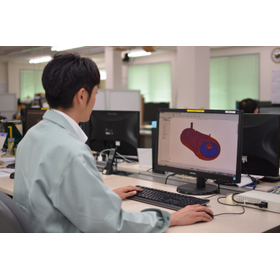
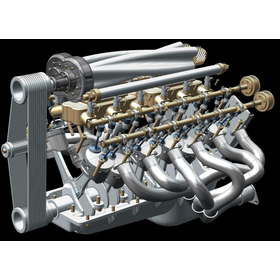
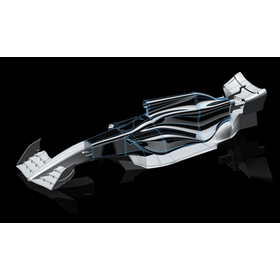
We have compiled a list of manufacturers, distributors, product information, reference prices, and rankings for 3D CAD software.
ipros is IPROS GMS IPROS One of the largest technical database sites in Japan that collects information on.

3D CAD software Product List and Ranking from 13 Manufacturers, Suppliers and Companies | IPROS GMS

Last Updated: Aggregation Period:May 27, 2026~Jun 23, 2026
This ranking is based on the number of page views on our site.

3D CAD software Manufacturer, Suppliers and Company Rankings

Last Updated: Aggregation Period:May 27, 2026~Jun 23, 2026
This ranking is based on the number of page views on our site.

  1. null/null
  2. iCAD - 機械設計向け3DCAD(3次元CAD)開発元 - Tokyo//CAD/CAM
  3. T3Japan Tokyo//CAD/CAM
  4. 4 null/null
  5. 5 null/null

3D CAD software Product ranking

Last Updated: Aggregation Period:May 27, 2026~Jun 23, 2026
This ranking is based on the number of page views on our site.

  1. SheetWorks for Unfold
  2. ThinkDesign Pro T3Japan
  3. SolidWorks
  4. 4 [Case Study of 3D CAD Software for Mechanical Design] Hitachi Zosen Corporation iCAD - 機械設計向け3DCAD(3次元CAD)開発元 -
  5. 5 [Case Study of 3D CAD Software for Mechanical Design] Honda Lock Co., Ltd. iCAD - 機械設計向け3DCAD(3次元CAD)開発元 -

3D CAD software Product List

1~30 item / All 37 items

Displayed results

"5-Axis and Multi-Processing Seminar for Business Owners" <Free Participation>

Improving productivity through seamless data integration from design to manufacturing. Utilizing a fully integrated system of 2D and 3D CAD.

The "5-Axis and Multi-Processing Seminar for Business Owners" is a free event aimed at business owners and managers, introducing solutions to challenges such as: - Machines that have been introduced but are sitting idle in the factory - Dependence on skilled workers due to a lack of development of younger employees We will also explain how to utilize the easy-to-operate 3D CAD "TopSolid," which can be applied in industries such as automotive, aerospace, shipbuilding, and medical. 【Event Overview】 Date: March 22 (Friday) Time: 13:00 - 17:00 (Registration starts 30 minutes prior) Venue: Our Prototype Department and Processing Technology Research Institute (Hamura City, Tokyo) *Live streaming available <Content> ■ What is DX in the manufacturing industry? ■ Improving productivity through seamless data flow from design to manufacturing ■ Proposals for mastering 5-axis and multi-processing in a short period, etc. *For more details, please refer to the PDF document or feel free to contact us. *Please note that applications from vendors in the same industry will be declined in advance.

Added to bookmarks

Bookmarks list

Bookmark has been removed

Bookmarks list

You can't add any more bookmarks

By registering as a member, you can increase the number of bookmarks you can save and organize them with labels.

Free membership registration

[Part 2] Utilization of 3D Data in Manufacturing Sites [Materials Provided]

Introduction of issues and solutions for the utilization of 3D CAD data in processing and assembly.

\Part 2 Available! Click the black "Download" button to get it now/ Supervised by the developer of the 3D CAD "iCAD SX" for mechanical design, we are currently offering a free explanatory document on "3D manufacturing" in the manufacturing field (processing and assembly). If you are an Ipros member, please click the black "Download" button to obtain it. 【Part 1: Processing】 ■ Benefits of utilizing 3D in processing (without part drawings) ■ Common issues in utilizing 3D in processing planning ■ Methods for detecting geometric tolerance surfaces and dimensions with narrow tolerance ranges in 3D ■ Examples of initiatives aimed at solving the above issues 【Part 2: Assembly】 ■ Problems arising from the combined use of 3D and 2D data during the assembly stage ■ Importance of design reviews from an assembly perspective ■ Challenges such as inquiries to designers and time-consuming drafting tasks ■ Contribution to shortening lead times and knowledge transfer through parallel consideration of design and assembly \For a limited time only! A webinar showcasing examples of 3D utilization in manufacturing is being held (until 2025/4/3)/

Added to bookmarks

Bookmarks list

Bookmark has been removed

Bookmarks list

You can't add any more bookmarks

By registering as a member, you can increase the number of bookmarks you can save and organize them with labels.

Free membership registration

[Case Study of 3D CAD Software for Mechanical Design] Nikon Engineering Co., Ltd.

[Free Case Study Provided] Visualizing invisible light paths to support high-density optical design!

We would like to introduce a case where "iCAD SX" was implemented at Nikon Engineering Co., Ltd., which specializes in advanced optical technology and precision technology, developing and manufacturing special microscopes and various exposure devices. The company required high precision for custom-made special microscopes and original exposure devices, leading them to seek a 3D CAD that could accommodate high optical accuracy. Our product seamlessly integrates into the thought processes of the company's design engineers and characteristic design scenes, flexibly adapting to methods such as top-down and bottom-up design, while visualizing optical paths at the nano level and meeting high design precision requirements. 【Case Overview】 ■ Challenges - 3D CAD that accommodates high optical accuracy ■ Results - Visualization of optical paths at the nano level, meeting high design precision requirements *For more details, please refer to the PDF document or feel free to contact us.

Added to bookmarks

Bookmarks list

Bookmark has been removed

Bookmarks list

You can't add any more bookmarks

By registering as a member, you can increase the number of bookmarks you can save and organize them with labels.

Free membership registration

[Case Study of 3D CAD Software for Mechanical Design] Honda Lock Co., Ltd.

[Free Case Study Provided] Standardization with 3D CAD to eliminate waste and losses!

We would like to introduce a case study of the implementation of "iCAD SX" at Honda Lock Co., Ltd., which supports the specialist in the world of cars and motorcycles, HONDA, with safety and security products. The company introduced 2D CAD for equipment design, but there were limitations in achieving standardization and eliminating waste and losses. With the introduction of this product, there was an immediate effect in trial evaluations, showing a 10% reduction in man-hours and a 4% decrease in costs related to defect corrections. [Case Summary] ■Challenges - Limitations in achieving standardization and eliminating waste and losses. ■Results - In trial evaluations, there was a 10% reduction in man-hours and a 4% decrease in costs related to defect corrections. *For more details, please refer to the PDF document or feel free to contact us.

Added to bookmarks

Bookmarks list

Bookmark has been removed

Bookmarks list

You can't add any more bookmarks

By registering as a member, you can increase the number of bookmarks you can save and organize them with labels.

Free membership registration

IRONCAD

IRONCAD is a 3D CAD suitable for conceptual design.

IRONCAD is a 3D CAD suitable for conceptual design. It allows for direct modeling through drag and drop, enabling you to edit parts and holes as you wish. Additionally, by utilizing the powerful movement tool called "TriBall," which is a characteristic feature of IRONCAD, you can easily perform designs that would be very difficult to replicate in other 3D CAD software. Since there is almost no distinction between assembly files and part files, top-down design is possible just like in 2D design. Please take advantage of the 30-day free trial to experience the power of IRONCAD.

  • 3D CAD
  • 3D CAD software

Added to bookmarks

Bookmarks list

Bookmark has been removed

Bookmarks list

You can't add any more bookmarks

By registering as a member, you can increase the number of bookmarks you can save and organize them with labels.

Free membership registration

Introduction to Development Design

From needs to concepts, from concepts to form. Design technology that incorporates the information-gathering capabilities of the trading company division!

KSS Corporation's development and design offer products that are not only functional and high-performance but also competitive in quality and cost through the development of excellent core technologies. Additionally, by leveraging our trading company functions, we quickly obtain new information from various manufacturers and utilize it in our design work, focusing on speed and low costs. Our company handles everything from design to processing and assembly of large equipment, ensuring that quality management is unified to domestic standards, and we respond to the needs of our clients as a "monozukuri" (manufacturing) company. 【Design Fields】 ■ Assembly equipment for electronic components and electrical devices ■ Automatic machines using cams and servo motors ■ Parts for various machine units ■ System design using PCs and sequencers ■ Recognition devices, among others *For more details, please refer to the external link page or feel free to contact us.

  • Circuit board design and manufacturing
  • 3D CAD software

Added to bookmarks

Bookmarks list

Bookmark has been removed

Bookmarks list

You can't add any more bookmarks

By registering as a member, you can increase the number of bookmarks you can save and organize them with labels.

Free membership registration

あ!動く図面 (Free版・イメージムービーあり)

~ 工程と3Dオブジェクトモデルの連動。時間の経過で図形が変化。 ~

「あ!動く図面」は3次元モデルCADに加え、時間的な変化を与えれば”簡単な動画が作成できる” 新しいタイプの3次元CADです。 ”時間的な変化”といっても操作は簡単です。 3DCADで作成したオブジェクトを、時間(工程)にドラッグ&ドロップで対応付けることができます。それに動きのパラメータを設定すれば、あとは再生ボタンを押すだけ。簡単に動画を作成することができます。 対応付けの操作等は工程表を用いているので、とてもわかりやすくなっています。

  • 3D CAD
  • 3D CAD software

Added to bookmarks

Bookmarks list

Bookmark has been removed

Bookmarks list

You can't add any more bookmarks

By registering as a member, you can increase the number of bookmarks you can save and organize them with labels.

Free membership registration

Solid Edge

SolidEdge

The core of the mid-range class 3D CAD in the "Velocity Series" integrated PLM system developed and provided by Siemens PLM Software is Solid Edge. By using Solid Edge, it is possible to improve design efficiency through synchronous technology, reuse data in a multi-CAD environment using the JT data format, and reduce documentation costs with top-class drafting capabilities.

  • Other CAD
  • Structural Analysis
  • others
  • 3D CAD software

Added to bookmarks

Bookmarks list

Bookmark has been removed

Bookmarks list

You can't add any more bookmarks

By registering as a member, you can increase the number of bookmarks you can save and organize them with labels.

Free membership registration

We provide total support from the introduction to the operation of SOLIDWORKS.

Total support from the introduction to the operation of 3D CAD SolidWorks! Our company has extensive experience in the manufacturing industry, including machinery, home appliances, and machine tools.

The 3D CAD software 'SolidWorks' is a fully Windows-compliant 3D CAD software equipped with industry-leading features and usability. Through an interface that prioritizes user-friendliness and technological innovation, it achieves "excellent operability" and "a reliable array of functions." Many features developed with a 100% focus on product design support everyone involved in manufacturing and contribute to shortening the product development cycle. You can also utilize operational support services that ensure you can use it with peace of mind after implementation.

  • Other CAD
  • Structural Analysis
  • 3D CAD
  • 3D CAD software

Added to bookmarks

Bookmarks list

Bookmark has been removed

Bookmarks list

You can't add any more bookmarks

By registering as a member, you can increase the number of bookmarks you can save and organize them with labels.

Free membership registration

If it's SolidWorks Premium (3D CAD)!

Our company provides total support from implementation to operation! SolidWorks has a wide range of achievements in machinery, home appliances, precision equipment, industrial machinery, and machine tools.

The 3D CAD "SolidWorks Premium" is a bundled product that includes the 3D CAD software "SolidWorks Standard," structural analysis tool "SolidWorks Simulation," motion analysis tool "SolidWorks Motion," piping/wiring design tool "SolidWorks Routing," design communication tools, CAD productivity tools, data management tools, and more. For more details, please contact us.

  • 3D CAD
  • Structural Analysis
  • 3D CAD software

Added to bookmarks

Bookmarks list

Bookmark has been removed

Bookmarks list

You can't add any more bookmarks

By registering as a member, you can increase the number of bookmarks you can save and organize them with labels.

Free membership registration

3D design for architectural design, landscape architecture, and urban planning using 'Vectorworks'

2D/3D CAD software used in architectural design, interior design, landscaping, stage lighting, etc.!

Vectorworks is a CAD software equipped with 2D drawing, 3D modeling, and high-quality rendering capabilities. It can be used for creating drawings, 3D models, rendering perspectives, and presentation boards. There are packages based on a general-purpose package with basic functions, equipped with features for architecture/interior design, landscape civil engineering, and stage lighting. There are two types of licenses: a standalone version that can be used on a single computer and a network version that can be shared among computers connected to a server. [Notice] The perpetual license version of the Vectorworks series will end manufacturer shipments in December 2024. Starting in January 2025, it will be changed to a subscription license.

  • 2D CAD Construction
  • 3D CAD
  • Other CAD related software
  • 3D CAD software

Added to bookmarks

Bookmarks list

Bookmark has been removed

Bookmarks list

You can't add any more bookmarks

By registering as a member, you can increase the number of bookmarks you can save and organize them with labels.

Free membership registration

SolidWorks Quick Reference MAP *Free materials available!

Materials for understanding SolidWorks! Quick overview of general-purpose mechanical design 3D CAD!

This is a product map centered around the 3D CAD "SolidWorks" proposed by Techno Solutions. It features SolidWorks partner products focused on "3D design," such as "structural analysis," "product data management," and "product documentation creation." It also includes add-on products for "surface modeling," "resin flow analysis," "CAM," and "mold design." Additionally, we introduce reverse engineering products for "prototyping" and "shape measurement." *For more details, please download the catalog or contact us directly.*

  • 3D CAD
  • Structural Analysis
  • 3D Printer
  • 3D CAD software

Added to bookmarks

Bookmarks list

Bookmark has been removed

Bookmarks list

You can't add any more bookmarks

By registering as a member, you can increase the number of bookmarks you can save and organize them with labels.

Free membership registration

Interference checks and animation creation are also possible with 'ZW3D Standard'.

Provides a flexible design environment through innovative solid surface hybrid modeling.

"ZW3D Standard" is a 3D CAD designed for product designers. It strongly supports the development of various products by allowing free modeling of wireframes, surfaces, and solids in 3D space. It includes assembly functions, healing functions, rendering functions, sheet metal functions, and drawing creation functions, as well as standard data input and output in common intermediate formats and the import of native data from specific CAD systems. 【Features】 ■ Stylish UI and easy-to-understand workflow ■ Powerful data conversion and enhanced collaborative design ■ Hybrid modeling that increases productivity and comfortable design ■ Efficient sketching and drafting, accurate 2D documentation ■ Powerful healing functions *For more details, please refer to the PDF materials or feel free to contact us.

  • Other CAD
  • Other CAM related software
  • 3D CAD software

Added to bookmarks

Bookmarks list

Bookmark has been removed

Bookmarks list

You can't add any more bookmarks

By registering as a member, you can increase the number of bookmarks you can save and organize them with labels.

Free membership registration

IRONCAD for Mechanical Design

Device and jig design is easy and fast! You can smoothly operate tens of thousands of assemblies without restricting parts.

This product is a 3D CAD for machine design. You can create parts simply by dragging and dropping 3D shapes like blocks from the "catalog" into the 3D space. Additionally, since parts and assemblies share the same file extension, file management and conceptual design are smooth. 【Features】 ■ Easy modeling ■ Design of automatic machines, equipment, and jigs without sketching ■ Edit parts and assemblies within a single file ■ Create/disassemble assemblies with a single button ■ The assembly structure can be freely edited from the history *For more details, please refer to the PDF materials or feel free to contact us.

  • Other CAD related software
  • Other CAD
  • 3D CAD
  • 3D CAD software

Added to bookmarks

Bookmarks list

Bookmark has been removed

Bookmarks list

You can't add any more bookmarks

By registering as a member, you can increase the number of bookmarks you can save and organize them with labels.

Free membership registration

[Inventor Case Study] Fuji Seiki Co., Ltd.

Reforming the development design of a major food machinery manufacturer! Introducing a case where team productivity significantly improved.

We would like to introduce a case where Fujiseiki Co., Ltd., a major food machinery manufacturer, implemented Autodesk products that we handle. The company was using two different CAD systems depending on the person in charge or the task, but there were issues with flexibility when designers were transferred, making it difficult to standardize operations. Therefore, they introduced Autodesk products, including the 3D mechanical design CAD "Inventor," across approximately 70 sheets. As a result, the design productivity of the team significantly improved compared to before. [Challenges] - Streamlining development and design operations - Using two different CAD systems depending on the person in charge or the task, which made it difficult to standardize operations when designers were transferred. *For more details, please refer to the PDF document or feel free to contact us.

  • Other CAD related software
  • 3D CAD
  • 3D CAD software

Added to bookmarks

Bookmarks list

Bookmark has been removed

Bookmarks list

You can't add any more bookmarks

By registering as a member, you can increase the number of bookmarks you can save and organize them with labels.

Free membership registration

3D CAD software 'SOLIDWORKS'

Solutions for design to manufacturing.

Our company offers the 3D CAD software 'SOLIDWORKS', which realizes an ideal 3D design environment. 'SOLIDWORKS' provides top-class, tightly integrated tools across various fields of product development and management. It enables all teams, from concept to manufacturing, to work concurrently, accelerating the entire product development process. 【Features】 ■ Powerful design capabilities and ease of use ■ Solutions that consider the entire manufacturing process ■ Easy-to-implement data management that promotes collaboration ■ Virtual prototypes that achieve innovation and high quality ■ Integration from design to manufacturing, allowing for faster product creation *For more details, please download the PDF or feel free to contact us.

Added to bookmarks

Bookmarks list

Bookmark has been removed

Bookmarks list

You can't add any more bookmarks

By registering as a member, you can increase the number of bookmarks you can save and organize them with labels.

Free membership registration

Authorized SOLIDWORKS dealer in Nagano Prefecture

3D CAD software SOLIDWORKS automation and efficiency tool *Product support platinum level certification

♦Achieved the highest level of Platinum certification logo for SOLIDWORKS product support (as of March 1, 2023) ♦Two elite AEs We continue to grow as a nimble one-stop engineering team that can quickly respond to customer needs. ♦Do you have any of the following concerns? - Purchased SOLIDWORKS products but are not receiving adequate support and can only use them in limited areas. - Tried to implement it, but it does not fit the workflow of your organization. - Continually spending time and effort without seeing any results. ●SOLIDWORKS Utility Pack Products 1) Drawing printing 2) Bulk input of user-defined properties 3) Renaming files 4) Deleting all properties by specifying a folder 5) Counting the number of parts 6) Move command *For more details, please refer to the PDF document or feel free to contact us.

  • 3D CAD
  • 3D CAD software

Added to bookmarks

Bookmarks list

Bookmark has been removed

Bookmarks list

You can't add any more bookmarks

By registering as a member, you can increase the number of bookmarks you can save and organize them with labels.

Free membership registration

SOLIDWORKS Productivity Improvement Guide

Increase design time with Cloud Services for SOLIDWORKS!

This document is a guide to improving productivity with SOLIDWORKS. New licenses for SOLIDWORKS 3D CAD now come with a subscription to Cloud Services. We introduce topics such as "Sharing and Markup" and "Saving and Revision," so please take a moment to read through it. 【Contents】 ■ Sharing and Markup ■ Saving and Revision ■ Management and Control ■ Real-time Collaboration ■ Access to New Product Development Tools ■ Leveling Up Your SOLIDWORKS Environment *For more details, please download the PDF or feel free to contact us.

Added to bookmarks

Bookmarks list

Bookmark has been removed

Bookmarks list

You can't add any more bookmarks

By registering as a member, you can increase the number of bookmarks you can save and organize them with labels.

Free membership registration

Understanding SOLIDWORKS Through Numbers

A new method that brings design closer through technology! Supporting various types of users at different levels.

Introducing SOLIDWORKS through numbers. When searching for job postings related to 3D CAD worldwide on LinkedIn, the number of hits for SOLIDWORKS was overwhelmingly high. No matter where you want to work, SOLIDWORKS is used in various locations. 【Customer Breakdown】 ■ 7,500,000 users ■ 400,000 companies ■ 20,000 startups ■ 110 countries *For more details, please download the PDF or feel free to contact us.

Added to bookmarks

Bookmarks list

Bookmark has been removed

Bookmarks list

You can't add any more bookmarks

By registering as a member, you can increase the number of bookmarks you can save and organize them with labels.

Free membership registration

ThinkDesign Pro

The full product version is a powerful solution that covers the entire design process.

A complete solution that realizes a seamless design experience. ThinkDesign Pro, equipped with all the features developed to date, is a robust tool that covers every aspect of the design process. It breaks down communication barriers throughout the product definition phase. Changes can be made without losing work done in other departments. With solid modeling, flexible freeform surfaces, and exceptional editing tools for Global Shape Modeling (GSM), any shape can be creatively and accurately modified, regardless of whether it is a native shape or an imported one. By maintaining complete relevance, results can be achieved in significantly shorter timeframes compared to traditional methods. With a variety of excellent features, projects can easily be realized as final products.

  • 3D CAD
  • 3D CAD software

Added to bookmarks

Bookmarks list

Bookmark has been removed

Bookmarks list

You can't add any more bookmarks

By registering as a member, you can increase the number of bookmarks you can save and organize them with labels.

Free membership registration

ThinkDesign Styling

Change the common sense of surfaces. Achieve beauty and precision intuitively. ThinkDesign Styling accelerates your ideals.

The ultimate tool for high-quality design that easily brings ideas to life. With ThinkDesign Styling, designers gain unprecedented creative freedom and real-time control. Innovative target-driven design liberates them from traditional design constraints. By simply setting targets such as points, curves, and specific highlights, they can focus on shaping the product. It transforms visions into models that incorporate technical aspects while remaining true to the original design. All changes can be easily previewed, and only shapes that meet the requirements are selected. ThinkDesign Styling includes powerful tools such as capping, blending curves, and dynamic morphing, as well as features like automotive wireframe functionality and rendering.

  • 3D CAD
  • 3D CAD software

Added to bookmarks

Bookmarks list

Bookmark has been removed

Bookmarks list

You can't add any more bookmarks

By registering as a member, you can increase the number of bookmarks you can save and organize them with labels.

Free membership registration

[Case Study of 3D CAD Software for Mechanical Design] Taiyo Machinery Manufacturing Co., Ltd.

[Free Case Study] Significantly improve the efficiency and comfort of custom design by breaking away from constraint-type 3D CAD!

We would like to introduce a case study of the implementation of "iCAD SX" at Taiyo Machinery Manufacturing Co., Ltd., which develops business form printing machines, label printing machines, and various custom order printing machines. The company had long faced challenges with the response of mid-range 3D CAD. With the introduction of this product, they not only improved design efficiency but also successfully maximized their strength in quickly responding to the advanced specifications requested by individual customers. 【Case Overview】 ■Challenges - Response of mid-range 3D CAD ■Results - Improved design efficiency - Maximized their strength in quickly responding to the advanced specifications requested by individual customers *For more details, please refer to the PDF document or feel free to contact us.

Added to bookmarks

Bookmarks list

Bookmark has been removed

Bookmarks list

You can't add any more bookmarks

By registering as a member, you can increase the number of bookmarks you can save and organize them with labels.

Free membership registration

[Case Study of 3D CAD Software for Mechanical Design] Gleason Cycles

[Free Case Study Provided] Select a 3D CAD software that matches your company's operations!

To Gleason Cycni Co., Ltd., a manufacturer of machine tools, we would like to introduce a case study on the implementation of "iCAD SX." The conventional 3D CAD did not match the company's operations, resulting in an increase in design man-hours. Additionally, as the number of parts handled increased, the operations during 3D design became heavier, contributing to the rise in design man-hours. Therefore, we adopted our product, which allows the use of both 3D and 2D design functions and operates smoothly even with large data sets. This led to a significant reduction in design man-hours. 【Case Overview】 ■Challenges - The conventional 3D CAD did not match the company's operations, leading to an increase in design man-hours. - As the number of parts handled increased, the operations during 3D design became heavier. ■Results - Careless mistakes and simple errors by designers were significantly reduced. *For more details, please refer to the PDF document or feel free to contact us.

Added to bookmarks

Bookmarks list

Bookmark has been removed

Bookmarks list

You can't add any more bookmarks

By registering as a member, you can increase the number of bookmarks you can save and organize them with labels.

Free membership registration